
Last Updated on 10 May 2025
Introduction
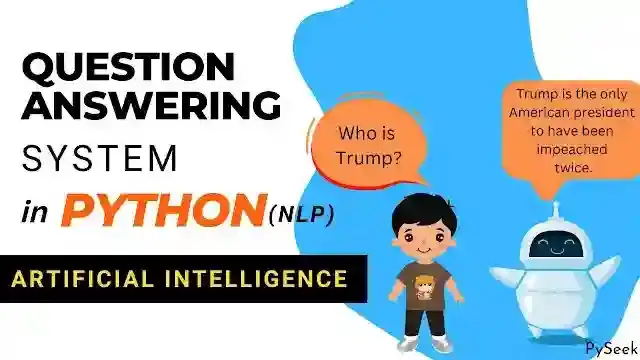
Imagine a machine that can answer any question you ask, without ever getting tired. This machine is actually a computer, and thanks to today’s advanced technology, especially Artificial Intelligence (AI) and modern information technology, this is becoming a reality.
We’re going to build a basic version of this – a simple Question Answering System using Python and a technology called Natural Language Processing (NLP).
Our system will answer your questions, but only within a specific topic. This is because we’ll teach our AI model using information we collect from the internet about that particular subject. The AI will then understand your question and find the best answer from the information it already knows.
That’s a quick introduction. Now, let’s get into the details of building our Question Answering System in Python using NLP.
What is Natural Language Processing?
Think of Natural Language Processing (NLP) as the way we teach computers to understand and work with human language – the way we talk and write.
It’s a mix of computer science, artificial intelligence (AI), language studies, and math. These fields come together to build computer programs that can read, understand, and even create language just like humans do.
NLP helps computers do things like:
- Figure out if the text is positive or negative (sentiment analysis).
- Sort text into categories.
- Translate languages (like Google Translate).
- Turn speech into text (like voice assistants).
- Spot names of people, places, or things in text.
- Write text.
Basically, NLP helps computers make sense of the words we use and interact with us in a more natural way.
You see NLP in action all the time in things like voice assistants (like Siri or Alexa), chatbots, search engines, and tools that suggest things you might like.
The big dream of NLP is to eventually make computers communicate with us so smoothly that it feels just like talking to another person.
Recommended: Create a Sentiment Analysis Project using Python
How to Create This Project?
Don’t worry if terms like Artificial Intelligence or NLP sound complicated! As we go through this project, they’ll become much clearer.
First, our AI needs to learn some information. How do we do that?
To keep things simple, we’ve picked a few popular topics. We took information about these topics from Wikipedia and saved it in separate text files, one for each topic. This collection of files is what we call our “Corpus” – it’s the knowledge base for our system.
For example, you’ll see files like ‘kevin_mitnick.txt’, ‘linux.txt’, ‘microsoft.txt’, ‘python.txt’, and ‘trump.txt’ in the project. You can add your own text files or change these; just make sure they are plain text files. These files need to be put into a specific folder, and you’ll tell the program the name of this folder later.
Next, we’ll write the Python program. The first step it takes is “Document Retrieval”. This is where the program looks at all the text files and figures out which one(s) are most likely to contain the answer to your question (your question needs to be in English). It uses a method called “tf-idf” to help it find the best match.
After finding the most relevant document(s), the program does “Passage Retrieval”. It breaks down those relevant documents into smaller pieces (like sentences or paragraphs) and then finds the most relevant piece to answer your question. It uses a combination of “idf” (which helps identify important words) and how often your question’s words appear close together (query term density) to do this.
The program code itself is designed to be easy to follow, with comments explaining what each important part does. But before we dive into the code, let’s briefly understand the main part of the program that makes everything run.
The Main Function
We will go through the following steps in the main function.
- Step 1: We will load the text file from the directory (where those files are located. In our case the directory name is ‘corpus’) using the
load_filesfunction. - Step 2: Each of the files will be tokenized (using the
tokenizefunction) into a list of words. - Step 3: We will compute the inverse document frequency (idf) for each of the words using the
compute_idfsfunction. - Step 4: Next, we need to take the input query from the user.
- Step 5: The
top_filesfunction will find the most relevant file that matches the user’s query. - Step 6: At last, the top sentences from those top matches files will be extracted, which are the best matches with the query.
We have to define these functions separately: load_files, tokenize, compute_idfs, top_files, and top_sentences. Don’t be tense. As I said earlier, I tried to keep the overall code as simple as possible. Functions are easy to understand. You just need a little patience and attention.
Requirements
We’re almost ready to look at the code! But first, let’s check what you need to have installed before we start.
NLTK
NLTK, which stands for Natural Language Toolkit, is a very useful tool available in Python. It’s designed to help us work with and understand text data, whether it’s a little bit or a lot.
NLTK provides many built-in functions and methods that let us perform different operations on this language data. Essentially, it helps us teach computers to read and understand human languages, which is key to building an AI Model that can process text like our Question Answering system.
Install NLTK
pip install nltk
Install NLTK Data
Because we’re going to do things like breaking text into individual words (tokenization) and finding the base form of words (lemmatization), we need a couple more pieces of data for NLTK.
Let’s get these installed now. That way, everything will work smoothly when you run the program later, and you won’t encounter any errors.
Just open your Python program and run these lines of code. This will download the ‘punkt’ and ‘wordnet’ resources we need.
import nltk
nltk.download('punkt')
nltk.download('wordnet')
Source Code
Hold on a moment before you start coding! Take a quick break, then follow these steps:
- Get the project files (usually by clicking a download button provided).
- Unzip the file you downloaded.
- Inside the project folder, create a new Python file and name it
question.py.
Okay, now you’re ready for the code!
- Copy all the code you have.
- Paste this entire code into the
question.pyfile you just created.
To run the program, open your terminal or command prompt and type this command:
python question.py corpus
Where question.py is the program file and corpus is the directory where the text document files are stored [use python3 if you are on Linux].
You might also notice a directory named ‘small’ inside. This contains a couple of small text files. You can use these to see how the code handles smaller amounts of text data, which might help you understand what’s happening.
import nltk
import sys
import os
import string
import math
from nltk.corpus import stopwords


FILE_MATCHES = 1
SENTENCE_MATCHES = 1

# Getting the stopwords and storing them into
# a set variable.
stop_words = set(stopwords.words("english"))


def main():
    # Check command-line arguments
    if len(sys.argv) != 2:
        sys.exit("Usage: python questions.py corpus")

    # Calculate IDF values across files
    files = load_files(sys.argv[1])
    file_words = {
        filename: tokenize(files[filename])
        for filename in files
    }
    file_idfs = compute_idfs(file_words)


    # Prompt user for query
    query = set(tokenize(input("Query: ")))

    # Determine top file matches according to TF-IDF
    filenames = top_files(query, file_words, file_idfs,
    n=FILE_MATCHES)


    # Extract sentences from top files
    sentences = dict()
    for filename in filenames:
        for passage in files[filename].split("n"):
            for sentence in nltk.sent_tokenize(passage):
                tokens = tokenize(sentence)
                if tokens:
                    sentences[sentence] = tokens

    # Compute IDF values across sentences
    idfs = compute_idfs(sentences)

    # Determine top sentence matches
    matches = top_sentences(query, sentences, idfs,
    n=SENTENCE_MATCHES)
    print()
    for match in matches:
        print(match)


def load_files(directory):
    """
    Given a directory name, return a dictionary mapping
    the filename of each `.txt` file inside that
    directory to the file's contents as a string.
    """
    file_dict = {}

    for file in os.listdir(directory):
        with open(os.path.join(directory, file),
        encoding="utf-8") as f:
            file_dict[file] = f.read()

    return file_dict


def tokenize(document):
    """
    Given a document (represented as a string), return
    a list of all of the words in that document, in order.

    Process the document by converting all words in
    lowercase, and removing any punctuation or English stopwords.
    """
    tokenized_data=nltk.tokenize.word_tokenize(document.lower())

    final_data = list()

    for item in tokenized_data:
        if item not in stop_words and item not in string.punctuation:
            final_data.append(item)

    return final_data


def compute_idfs(documents):
    """
    Given a dictionary of `documents` that maps names of
    documents to a list of words, return a dictionary that
    maps words to their IDF values.

    Any word that appears in at least one of the documents
    should be in the resulting dictionary.
    """
    idf = dict()

    document_len = len(documents)

    all_words = set(sum(documents.values(), []))

    for word in all_words:
        count = 0
        for doc_values in documents.values():
            if word in doc_values:
                count += 1

        idf[word] = math.log(document_len/count)

    return idf

def top_files(query, files, idfs, n):
    """
    Given a `query` (a set of words), `files`
    (a dictionary mapping names of files to a
    list of their words), and `idfs` (a dictionary
    mapping words to their IDF values), return a
    list of the filenames of the `n` top files that
    match the query, ranked according to tf-idf.
    """
    scores_dict = dict()
    for filename, filedata in files.items():
        file_score = 0
        for word in query:
            if word in filedata:
                file_score += filedata.count(word) * idfs[word]
        if file_score != 0:
            scores_dict[filename] = file_score

    sorted_list = list()

    for key, value in sorted(scores_dict.items(),
    key=lambda v: v[1], reverse=True):
        sorted_list.append(key)

    return sorted_list[:n]


def top_sentences(query, sentences, idfs, n):
    """
    Given a `query` (a set of words), `sentences`
    (a dictionary mapping sentences to a list of their words),
    and `idfs` (a dictionary mapping words to their IDF values),
    return a list of the `n` top sentences that match
    the query, ranked according to idf. If there are ties,
    preference should be given to sentences that have a higher
    query term density.
    """
    top_sentences = dict()
    for sentence, words in sentences.items():
        sent_score = 0
        for word in query:
            if word in words:
                sent_score += idfs[word]

        count = 0
        if sent_score != 0:
            for word in query:
                count += words.count(word)
            density = count / len(words)
            top_sentences[sentence] = (sent_score, density)

    sorted_list = list()

    for key in sorted(top_sentences.keys(),
    key = lambda v: top_sentences[v], reverse=True):
        sorted_list.append(key)

    return sorted_list[:n]


if __name__ == "__main__":
    main()
Output
Here, I asked the AI a series of questions. Let’s see what our AI gave us as results.
Output 1
Query: Who is Kevin Mitnick?
Kevin David Mitnick (born August 6, 1963) is an American computer security consultant, author, and convicted hacker.
Output 2
Query: Who founded Microsoft?
Microsoft was founded by Bill Gates and Paul Allen on April 4, 1975, to develop and sell BASIC interpreters for the Altair 8800.
Output 3
Query: What are the popular Linux distributions?
Popular Linux distributions include Debian, Fedora Linux, and Ubuntu, which in itself has many different distributions and modifications, including Lubuntu and Xubuntu.
Output 4
Query: Who created the Python Programming Language?
Created by Guido van Rossum and first released in 1991, Python’s design philosophy emphasizes code readability with its notable use of significant whitespace.
Output 5
Query: In which year Python 2.0 released?
Python 2.0, released in 2000, introduced features like list comprehensions and a garbage collection system capable of collecting reference cycles.
Output 6
Query: Who is Donald Trump?
Donald Trump (full name Donald John Trump) is an American politician, media personality, and businessman who served as the 45th president of the United States from 2017 to 2021.
Output 7
Query: Trump’s children.
He had three children: Donald Jr. (born 1977), Ivanka (born 1981), and Eric (born 1984).
Output Video
Watch the entire video to understand how the project actually works.
Summary
In this lesson, we built a Question-Answering System using Python. We used Natural Language Processing (NLP), which is a key part of Artificial Intelligence (AI), to do this. We trained our AI Model on some pre-collected topics from Wikipedia.
You are welcome to add more topics to this Question Answering System or modify the existing ones. Just keep in mind one thing: the document file must be a text file in the ‘corpus‘ directory.
If you have any questions about this project, you can get in touch at contact@pyseek.com.
Happy Coding!